

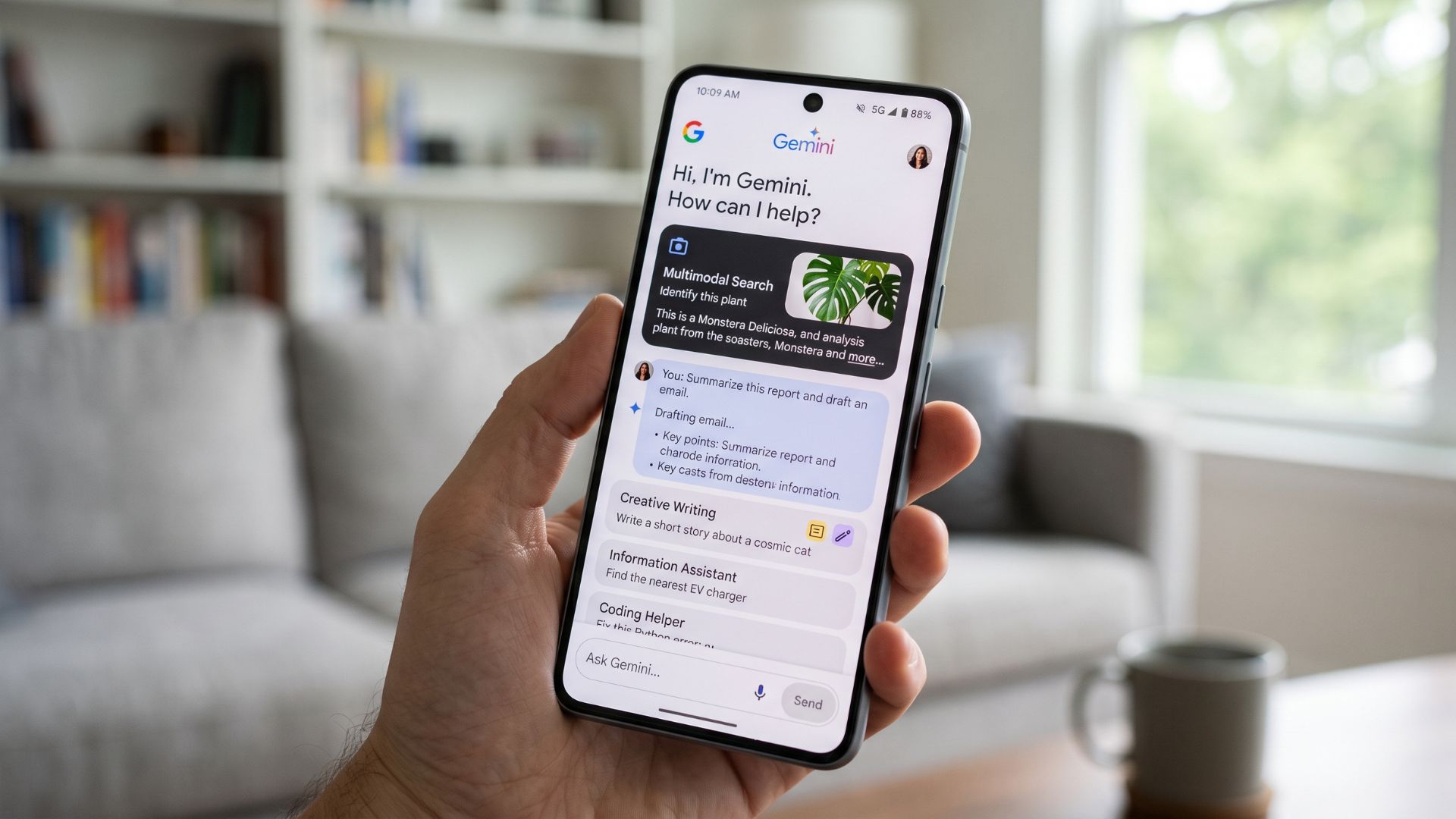
Google Gemini is available in Nigeria, and you do not need to pay for a Google AI subscription to start using many of its most useful features.
The free version can do far more than answer questions or help you write an email. You can use it to research complex topics, analyse documents, hold voice conversations, generate and edit images, create study materials and even work on projects inside a dedicated workspace.
That does not mean the free and paid versions are identical. Google AI subscriptions, including Google AI Plus, Pro and Ultra, generally give users higher usage limits, greater access to advanced models and some additional capabilities.
But if you are wondering what you can actually do with Gemini in Nigeria without paying, there is already plenty to explore. This article breaks down the best free Google Gemini features available in Nigeria right now, what they do, and when it might make sense to consider a paid plan.
What Gemini features can Nigerians use for free?
Gemini is available through its web and mobile apps in Nigeria. Many of its core features can be used with a standard Google account, although some have daily or monthly usage limits.
Google Gemini free features in Nigeria at a glance
| Feature | What you can do for free |
| Ask Gemini | Ask questions, write and edit text, brainstorm, plan tasks and solve everyday problems |
| Deep Research | Research complex topics and generate detailed reports |
| File analysis | Upload and analyse PDFs, documents, spreadsheets, images and other supported files |
| Gemini Live | Have voice conversations and, on supported devices, use your camera or share your screen |
| Image generation and editing | Generate images from text prompts and edit existing images |
| Canvas | Draft documents, work on code and develop projects in a dedicated workspace |
| Quizzes and study guides | Create quizzes, flashcards, practice questions and study materials |
| Gemini in Chrome | Ask questions about information you encounter while browsing, subject to requirements |
Here are some of the most useful ones.
1. Ask Gemini questions and get help with everyday tasks
The most basic way to use Gemini is still one of the most useful. You can ask questions, request explanations, brainstorm ideas, write and edit text, plan tasks, and get help working through problems. For example, you could ask Gemini to:
- Explain a difficult concept in simple terms
- Help you write an email or cover letter
- Brainstorm story ideas
- Create a travel or study plan
- Summarise a topic
- Help you think through a problem
Gemini can also handle follow-up questions, so you do not always have to start a new conversation when you want to go deeper into a topic. For everyday use, this is where most people will probably spend most of their time.
The difference with paid plans is largely about how much access you get to Google’s more advanced models and how often you can use them before reaching a limit.
2. Research complex topics with Deep Research
Deep Research is one of Gemini’s most useful features, particularly if you are working on a topic that requires more than a quick answer.
Instead of simply responding to a prompt, Gemini can research a subject, work through multiple sources and produce a more detailed report. It can also show you a research plan before beginning and allow you to ask follow-up questions after the report is complete. This could be useful for:
- Researching a company or industry
- Understanding a complicated policy issue
- Comparing products or services
- Preparing for an interview
- Exploring an unfamiliar topic
- Building background knowledge for a project
The important thing here is that Deep Research is not entirely locked behind a paid subscription. Free users can access it, although usage limits apply.
Paid Google AI plans offer higher limits and additional access to Google’s more capable models for research. For anyone who regularly needs to dig into unfamiliar subjects, the free version is worth trying before deciding whether a subscription is necessary.
3. Upload and analyse files
You can also upload supported files to Gemini and ask questions about them. That means you can give Gemini a document, spreadsheet, image or other supported file and ask it to help you understand what is inside. For example, you could upload:
- A long PDF and ask for a summary
- A spreadsheet and ask Gemini to identify patterns
- A report and ask for the key findings
- A document and ask specific questions about it
- An image and ask Gemini to describe or analyse what it shows
This can save a significant amount of time when you are dealing with long or complicated material. The free version comes with usage limits, particularly when working with larger files or analysing video and audio. Paid plans increase those limits. Still, for occasional document analysis, the free tier may be enough.
4. Talk to Gemini with Gemini Live
If you do not feel like typing, Gemini Live allows you to have a spoken conversation with the AI. Instead of giving one prompt, waiting for a response and typing another, you can speak more naturally and continue the conversation as you would with another person. You can interrupt Gemini, change your mind or ask it to explain something differently.
On supported devices, Gemini Live can also use your camera or screen during a conversation. For example, you could point your camera at something and ask Gemini about what you are seeing, or share what is on your screen while discussing a problem. This could be useful when:
- You want to practise an interview
- You are trying to understand something you can see
- You need help working through a problem
- You prefer speaking to typing
- You want a more natural back-and-forth conversation
Availability can depend on your device, account, and software requirements, so not every Gemini Live capability will necessarily work on every phone. But for supported users, it is one of the more interesting ways to interact with Gemini for free.
5. Generate and edit images
Gemini is not limited to text. You can use it to generate images from a written description and, in supported cases, edit existing images by telling Gemini what you want to change. For example, you could ask it to:
- Create an illustration for a presentation
- Generate a concept image
- Change parts of an existing image
- Create social media visuals
- Experiment with different creative ideas
Google’s current Gemini image tools give free users access to image generation and editing, while paid plans provide higher usage limits and access to additional image-generation capabilities. This is worth stressing because image generation is another example of a feature that does not require an immediate subscription.
The free version may be enough for someone who occasionally needs AI-generated visuals. Heavy users, however, may find the higher limits and additional options on paid plans more useful.
6. Create projects with Canvas
Canvas is one of the features that shows how Gemini is gradually becoming more than a chatbot. It gives you a workspace where you can work with Gemini on documents, code and other projects.
Instead of generating a response and copying it somewhere else, you can continue developing the work inside Canvas. Depending on the task, you can use it to:
- Draft and edit documents
- Work on code
- Develop an idea into a more complete project
- Create interactive content
- Turn material into different formats
For example, you might start with a rough idea, ask Gemini to help develop it and then continue refining the result. This makes Canvas particularly useful for students, writers, developers and anyone working on a longer project.
7. Create quizzes, flashcards and study guides
For students, this could be one of Gemini’s most practical features. You can ask Gemini to create quizzes, flashcards and study guides around a particular topic. You can also use uploaded material as the basis for study questions. For example, you could upload lecture notes and ask Gemini to create questions that test your understanding of the material.
You could also ask it to:
- Generate practice questions
- Create flashcards around key concepts
- Explain incorrect answers
- Break a difficult topic into smaller sections
- Create a study guide before an exam
Of course, Gemini can make mistakes, so students should not treat its answers as automatically correct. But as a study companion, the ability to turn existing material into questions and revision tools can be genuinely useful.
8. Use Gemini while browsing with Gemini in Chrome
Gemini is also becoming part of Google’s broader browsing experience. Gemini in Chrome can help users understand or work with information they encounter while browsing. Depending on the version, device, and available capabilities, this can include asking questions about a page or getting assistance without manually copying information into a separate Gemini conversation.
For someone doing research or comparing information across websites, that could make Gemini more convenient to use. Nigeria is among the supported locations for Gemini in Chrome, although access still depends on the relevant account, device and feature requirements.
Free Gemini vs paid Gemini: What is the difference?
The biggest misunderstanding about Gemini is that free users get a basic chatbot while everything useful requires a subscription. That is not really how Google’s current system works. Many of the same features are available to free users. The difference is often how much you can use them, which model you can access and whether you get additional capabilities.
| What you want to do | Free Gemini | Paid Google AI plans |
| Ask questions and write | Yes | Yes, with higher limits |
| Access advanced models | Limited access | More access |
| Deep Research | Available, with limits | Higher limits and additional model access |
| Upload and analyse files | Available, with limits | Higher limits and support for more extensive analysis |
| Generate and edit images | Available | Higher limits and additional capabilities |
| Use Gemini Live | Available on supported devices | Plan benefits and limits may vary |
| Use Canvas | Available | Access can vary depending on the models and limits used |
The exact limits can change, and Google increasingly bases some of them on factors such as the model you are using, the complexity of your request and the length of your conversation.
What do Google AI Plus, Pro and Ultra give you in Nigeria?
Google currently offers Google AI Plus, Google AI Pro and Google AI Ultra in Nigeria. The plans are designed for people who need more from Gemini than the free tier provides.
Google AI Plus
Google AI Plus is aimed at users who want more access than the free tier offers. The main advantage is higher usage limits across Gemini and greater access to some of Google’s AI capabilities. This could make sense for someone who uses Gemini regularly but does not need the highest level of access.
Google AI Pro
Google AI Pro offers further-expanded access to Gemini’s advanced models and features. It is more relevant for people who use Gemini heavily for work, research, creative projects or other demanding tasks. If you frequently hit limits while using Deep Research, file analysis or advanced models, this is where a paid plan may start becoming useful.
Google AI Ultra
Google AI Ultra is Google’s highest-tier AI subscription. It offers the highest levels of access to Google’s AI models and features, along with some advanced capabilities and early access to selected new features.
However, there is an important warning here: not every benefit attached to Google AI Ultra is necessarily available in Nigeria. Some Google AI features remain restricted to specific countries, often the United States. So subscribing to the highest plan does not automatically mean every feature Google announces will appear in your account.
Which Gemini plan should you use?
For most people, the answer is simple: start with the free version. You probably do not need to pay if you mainly want to:
- Ask questions
- Write and edit text
- Brainstorm ideas
- Research topics occasionally
- Analyse documents
- Generate images
- Use Gemini Live
- Create study materials
A paid plan becomes more useful if you regularly use Gemini for demanding work and start running into its limits. You might consider paying if you:
- Use Deep Research frequently
- Analyse large amounts of information
- Regularly upload and work with files
- Need more reliable access to advanced models
- Generate a large number of images or other AI content
- Use Gemini extensively for work or professional projects
The key question is not simply, Is the paid version better? It is: Are you using Gemini enough to justify paying for higher limits and additional capabilities? For many people, the answer will still be no.
Not every Gemini feature is available in Nigeria
There is one more thing worth knowing.
Google often announces new Gemini features before making them available worldwide. Some capabilities remain restricted to the United States or selected markets.
That means you should not assume that every feature you see in a Google announcement or YouTube video will automatically be available in Nigeria. This is particularly important for newer agentic features and some Google Search and Chrome capabilities.
Gemini Spark, the 24/7 AI agent Google introduced as a flagship feature for Google AI Pro and Ultra subscribers, is a case in point. As of August 2026, Google’s own Help Centre lists Nigeria as one of a small number of markets, alongside the EEA, Switzerland and the UK, where Spark is not yet available, even for subscribers paying for the highest-tier plan.
The safest approach is to check Google’s availability information when you see a feature you want to use.
Bottom line
Google Gemini is already much more useful in Nigeria than simply being a free chatbot. Without paying, you can research complex topics, analyse files, have voice conversations, generate and edit images, build projects in Canvas and create study materials.
The paid plans are mainly about doing more, more often. They offer higher limits, more access to advanced models and additional capabilities for people who rely heavily on Gemini.
So if you are just getting started, there is little reason to rush into a subscription. Try the free version first. Explore the features you actually need. And only consider paying if you consistently reach the limits or need capabilities that the free version cannot provide.
True scale demands moving beyond surface-level integrations to robust execution. We’ve filtered the noise out of Moonshot 2026, optimising the conference strictly for high-calibre connections between startup founders, global financial operators, enterprise leaders and individuals rewiring Africa’s technical frameworks. Get 20% off Early Bird tickets for a limited time.

